Getting Started in Wash The Skyscraper
Join, learn the two tools, run one clean loop, spend the first upgrade on a real bottleneck, then invite friends without chaos.
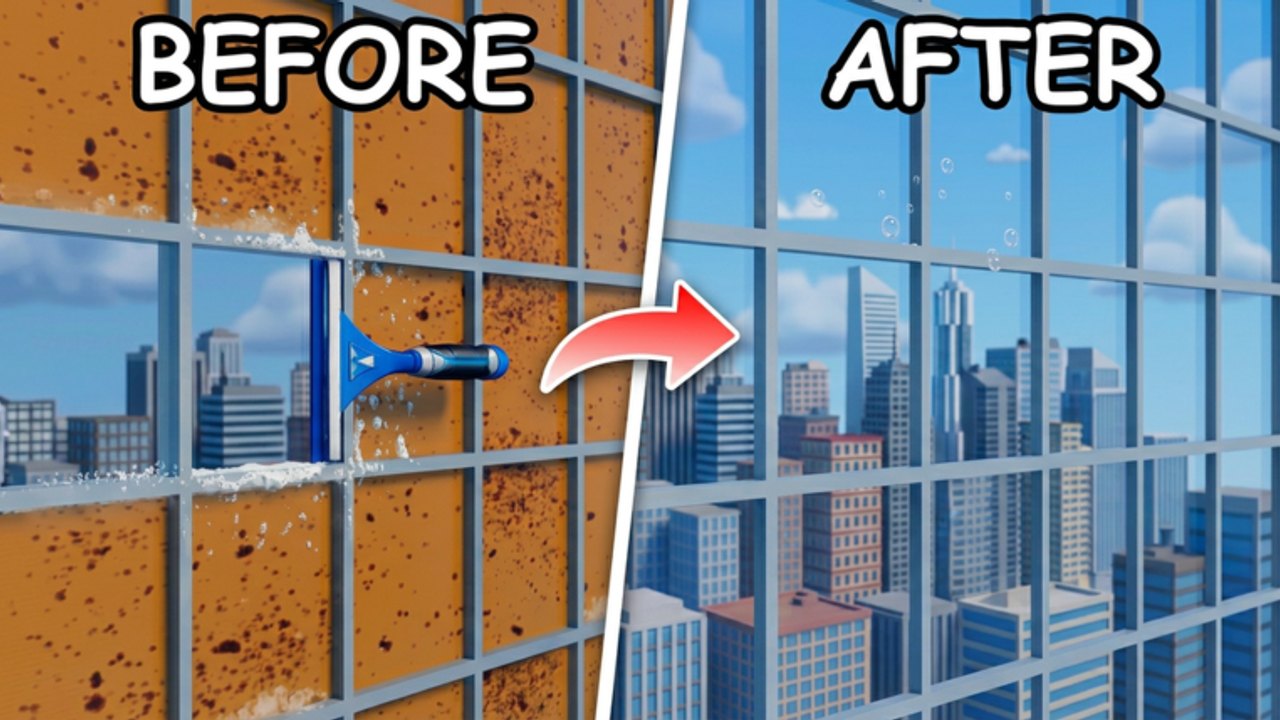
Wash The Skyscraper is a Roblox co-op cleaner from Lazy Cleaners. You spawn at a filthy high-rise, pick up equipment, and start the same loop every veteran still uses: power wash dirty surfaces, squeegee the windows, collect coins, open upgrades, and climb. This page is the day-one route. It is not a full completion walkthrough — that lives on How to Complete — and it is not a button encyclopedia. Lock inputs on Controls if a key does nothing.
You can play solo or with friends. Servers hold up to 20 players. More people can mean a faster tower, or a mess if nobody agrees who is washing versus wiping. Read the etiquette section before you drop into a packed server.
What you are here to do
Your job is to restore the skyscraper, not to wander looking for a hidden quest log. Dirt on walls, ledges, and other solid surfaces is a power-wash problem. Glass is a squeegee problem. Coins arrive as you clean, and those coins buy upgrades that make the next pass faster or let you reach heights you could not work yet. Keep going until the building is done.
That is the entire fantasy. If you treat the first session as spray everything I see, you will still earn coins, but you will also leave stripes on glass and miss corners. If you treat it as learn the two tools, spend the first upgrade at the first real bottleneck, then work one band of the building, you will finish more of the tower and annoy fewer teammates.
Official PC inputs are simple: Click uses the equipped tool, R rotates it, U opens upgrades. On a controller, RT uses or interacts, X rotates, and Down opens upgrades. Do not bring Wash The House muscle memory (E, G, or Y) into this experience — those binds belong to a different cleaning game and will waste your first minutes.
Your first cleaning loop
After you load in, look at what is actually dirty instead of sprinting straight up. Stand close enough that the spray or blade hits the surface, then Click (or hold if the tool wants a continuous pass) across one patch until it looks clean. Move to the next patch. When the surface is glass, switch to the squeegee and pull along the pane rather than dabbing at random spots.
Rotate with R whenever the tool feels wrong against the surface. Tall windows, thin edges, and awkward corners often need a turned blade or a turned washer, not more spam-clicking. If a pane still looks streaked, change your angle and make one slower pass instead of ten frantic ones. How to Play explains washer versus squeegee roles in more depth. Here you only need the habit: dirt gets washed, glass gets wiped, rotate when the shape of the surface changes.
Coins should start appearing as you work. Do not stop the whole session to stare at the currency counter. Clean a coherent area first — one face, one band of windows, one ledge line — then check whether you have enough to buy something that removes your current pain. That is the first loop: work, earn, upgrade, work a little higher or a little faster.
If you are on a phone or tablet, Roblox will still let you join, but Lazy Cleaners has not published a full touch map. Follow the on-screen prompt: tap or hold to use the equipped tool, and look on the HUD for rotate and upgrade. When in doubt, the Controls page lists what is official and what is only a careful mobile note.
When to open upgrades (U)
Open upgrades the first time as soon as you have coins and a clear bottleneck — not the instant the menu is available, and not after you have already struggled through half the tower with starter tools. Press U on PC or Down on a controller. Read the list. Buy the upgrade that answers the problem you just felt.
Use this decision rule on day one:
- If each spray covers almost nothing and dirt takes forever, spend on whatever makes cleaning faster or wider.
- If you can see dirty glass or ledges you physically cannot reach, spend on whatever helps you reach new heights.
- If you keep fighting the tool orientation, remember that R (or X) is free. Do not buy a shop item to solve a rotate problem.
Skip purchases that you cannot explain in one sentence. It looked expensive is not a plan. After you buy, go straight back to the same surface and confirm the upgrade actually changed the pass. Then keep cleaning. The Tier List Hub is the place to compare upgrade value later. Your first session only needs this bottleneck test.
There are no verified promo codes as of September 2026. Check Codes if you want the live status, but do not stall in the lobby typing random phrases.
Co-op etiquette for new cleaners
Friends make Wash The Skyscraper much faster if you split work. They make it slower if six people blast the same wall. Before anyone climbs, say who is on washer duty and who is on squeegee duty. One person can flex if the crew is small. In a busy 20-player server, pick a vertical slice or a side of the building and stay on it.
Call out finished bands so other people do not re-wash them. If you see a missed corner, wipe it or ping it — do not silently leave a dirty stripe for the final check. Do not stand in someone else’s spray line. Do not open the upgrade menu and AFK in a doorway. If you need to read this wiki, do it between passes, not while blocking a window.
Voice chat is optional. Text is enough: washing this face, squeegee on the high glass, buying reach next. Short calls beat essays. If a stranger is already cleaning a pane, leave it and take the next dirty one. Overlap is the main way new groups stall.
What to do after the first session
If the tools still feel awkward, stay on How to Play until washer versus squeegee is automatic. If you already like the loop and want a finish, jump to How to Complete. If a bind is wrong, fix it on Controls. Then return to the Guides Hub whenever you need a different how-to.
A good day-one goal is not 100 percent the skyscraper in twenty minutes. A good day-one goal is one clean loop, one smart upgrade, and one polite co-op habit. Do those three things and the rest of the wiki will make sense.
Frequently Asked Questions
Quick answers for Wash The Skyscraper on Roblox.
What should I do in my first Wash The Skyscraper session?
Join, power wash a dirty patch, squeegee nearby glass, earn coins, then press U when you hit a real bottleneck. Details are in the loop section above; finish routes are on How to Complete.
When do I open the upgrade menu?
Press U on PC or Down on a controller after you have coins and a clear problem (too slow, or cannot reach). Do not buy the first icon you see. Compare later on the Tier List Hub.
Can I play with friends on day one?
Yes. The game is online co-op with a 20-player cap. Split washer and squeegee roles, stay on one face of the building, and avoid stacking on the same pane.
Why don't Click, E, or G work the way I expect?
Official PC controls are Click to use equipment, R to rotate, and U for upgrades. E and G are not this game's binds. Full PC, controller, and mobile notes are on Controls.
Are there working codes for new players?
As of September 2026 there are no verified promo codes. Check Codes before each session in case Lazy Cleaners adds one later.