How to Play Wash The Skyscraper
Washer versus squeegee, why you rotate, how coins buy speed and reach, and how to set a session goal that actually finishes work.
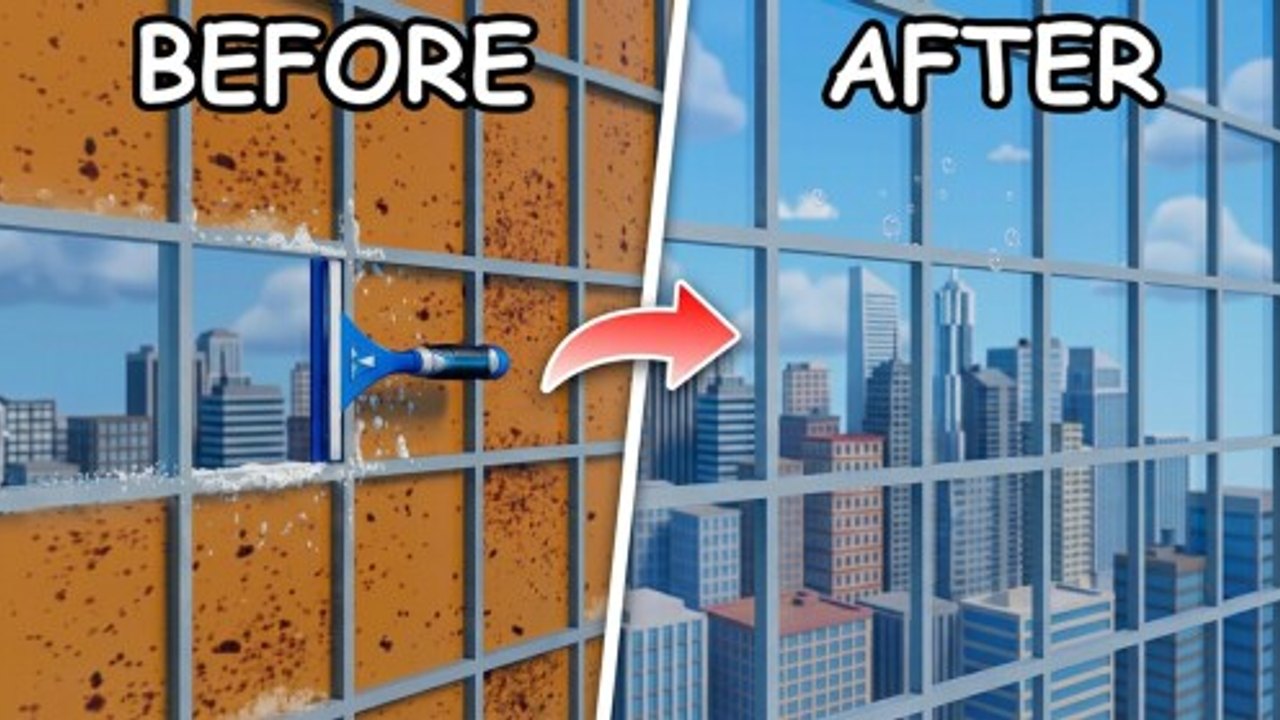
Wash The Skyscraper looks simple from the spawn: point a tool at dirt and make it gone. The players who finish the building treat that simplicity as a loop with roles, not as a spray-and-pray sandbox. This page is the core-loop deep dive. If you have not joined yet, start on Getting Started. If you already know the loop and want a finish plan, skip to How to Complete. Inputs live on Controls.
The official job is unchanged: power wash dirty surfaces, squeegee windows, earn coins, buy upgrades to clean faster and reach new heights, and restore the whole skyscraper. Servers support online co-op with a 20-player cap. Created by Lazy Cleaners on 26 August 2026, the experience rewards crews who split work more than crews who all stand on the same ledge.
The cleaning loop, without the fluff
Every productive minute follows the same four beats.
- Identify the surface. Solid grime wants the washer. Glass wants the squeegee. Mixed patches want a swap, not a stubborn tool.
- Use the equipped tool until that patch is actually clean. Click on PC, RT on a controller. Hold when the tool wants a continuous pass.
- Rotate (R or X) when the surface turns a corner, stands taller than your current blade, or sits on a thin edge.
- Bank coins, open upgrades with U (or Down), and spend only on the bottleneck you just felt — slow coverage or missing height.
Then you repeat one band higher. Height is not a separate minigame. It is the same loop with more glass, more travel, and a bigger penalty for missed corners. If you skip the rotate step, you will think the washer is weak when the real problem is orientation. If you skip the upgrade step, you will grind the same band for half the session.
Washer versus squeegee roles
Think of the two tools as different jobs, even when one person holds both.
The washer is your coverage tool. It exists to blast dirt off walls, ledges, frames, and other non-glass mess. Work in overlapping strokes so you do not leave tiger stripes. Start at one edge of a dirty field and walk the spray across, then drop or raise one body-width and come back. Stopping in the middle of a wall to chase a single speck usually costs more time than finishing the field and circling back.
The squeegee is your precision tool. Windows show streaks that a washer pass will not forgive. Pull along the pane, keep the blade in contact, and finish a full stroke before you hop to the next window. Dabbing the center of the glass and leaving the gasket dirty is how towers look 90 percent done and never complete.
In co-op, assign the roles out loud. One player (or a pair) stays on washer duty for a face of the building. Another player (or pair) follows on glass. If you are solo, do not alternate every two seconds. Clear a dirty field with the washer, then squeegee the windows that field revealed. Swapping too often is a movement tax.
When both tools feel bad, check rotate before you open the shop. A vertical pane often wants a turned squeegee. A long ledge often wants a turned washer. R on PC and X on a controller exist specifically for that. The shop cannot replace a free key.
Rotating gear on glass and edges
Rotation is the skill most new players skip. The default orientation is fine on a flat wall in front of you. It is a liability on tall windows, corner mullions, underside lips, and anything you are standing beside instead of facing.
A practical rotate habit:
- Face the surface first, then rotate so the spray or blade matches the long axis of the dirt.
- On glass, align the squeegee with the pane, not with your camera. If the blade is kissing the glass at a steep angle, you will skip and streak.
- After a rotate, make one slow confirming pass. If the surface still refuses, step, do not spam.
- Reset the orientation when you change tools so you do not inherit a window angle on a floor slab.
If this paragraph is the only thing you take from the page, you are already faster than a player who only buys upgrades. Pair it with the aiming notes on Controls when you switch from mouse to stick.
The coin loop and height progression
Coins are the reason the loop scales. Cleaning pays. Paying buys upgrades. Upgrades either make each pass faster or let you work surfaces that were out of reach. That is the only economy you need to understand on this wiki: time in, coins out, reach and speed up.
Spend with a bottleneck sentence. Examples that are legal even without published prices:
- Dirt is taking too long, so the next purchase must speed or widen the washer.
- I can see dirty glass above my current stand, so the next purchase must help me reach new heights.
- Travel between patches is the delay, so movement or positioning upgrades beat another tiny coverage bump.
Do not invent a shopping list from memory of another game. Open U, read what the menu actually offers this patch, and buy the line that matches the sentence. Then go test it on the same surface. If nothing changed, you bought the wrong line.
Height progression is the same rule pointed upward. You do not need named floors to plan. Work a complete band — washer field plus squeegee glass — before you treat the next band as unlocked work. Climbing past dirty glass to chase a pretty roof is how crews leave a checkerboard facade and then cannot find the last 5 percent. The completion page turns this into a finish route. Here, the rule is only: finish the band you can reach, spend for the next height, then move.
Session goals that keep you honest
A session without a goal becomes sightseeing. Pick one before you spawn.
- Tool session: only practice washer fields and squeegee strokes, including rotate, with no shop browsing until the last five minutes.
- Economy session: clean one band, buy one bottleneck upgrade, prove it on the same band, stop.
- Height session: spend specifically to reach the next work zone, then fully clear that zone before climbing again.
- Co-op session: lock roles, pick a face of the building, and refuse to stack on the same pane.
Write the goal in chat if you are in a group. That one line prevents the usual drift into everyone following the loudest player. After the session, either you met the goal or you learned which part of the loop broke. That is enough information to choose the next page: Getting Started if the first minutes are still confusing, How to Complete if you are ready to push a finish, or the Guides Hub if you need a different how-to.
Promo codes are not part of the loop. As of September 2026 none are verified. Glance at Codes if you like, then get back to washing. Patch changes that alter tools belong on Updates. Upgrade value comparisons belong on the Tier List Hub after you have a real bottleneck, not before you have used both tools.
Frequently Asked Questions
Quick answers for Wash The Skyscraper on Roblox.
What is the core loop in Wash The Skyscraper?
Power wash dirty surfaces, squeegee windows, earn coins, buy upgrades that speed cleaning or add reach, then work the next height. Repeat until the skyscraper is clean.
Should I main the washer or the squeegee?
Use both. The washer clears dirt fields; the squeegee finishes glass. In co-op, assign one role per player. Solo, clear a field first, then wipe the windows it revealed.
When should I rotate equipment?
Whenever the long axis of the dirt does not match your tool. Tall panes, corners, and thin edges need R on PC or X on a controller. See Controls for the full map.
How do coins and height actually connect?
Cleaning pays coins. Spend them on the bottleneck you feel — speed or reach — then finish the new band before climbing again. Do not skip dirty glass to rush a roof.
What is a good session goal?
One band fully cleaned, one proven upgrade, or a locked co-op role split. Finish-run planning is on How to Complete. First-join steps are on Getting Started.